Complete Godot 3D Character Controller Course
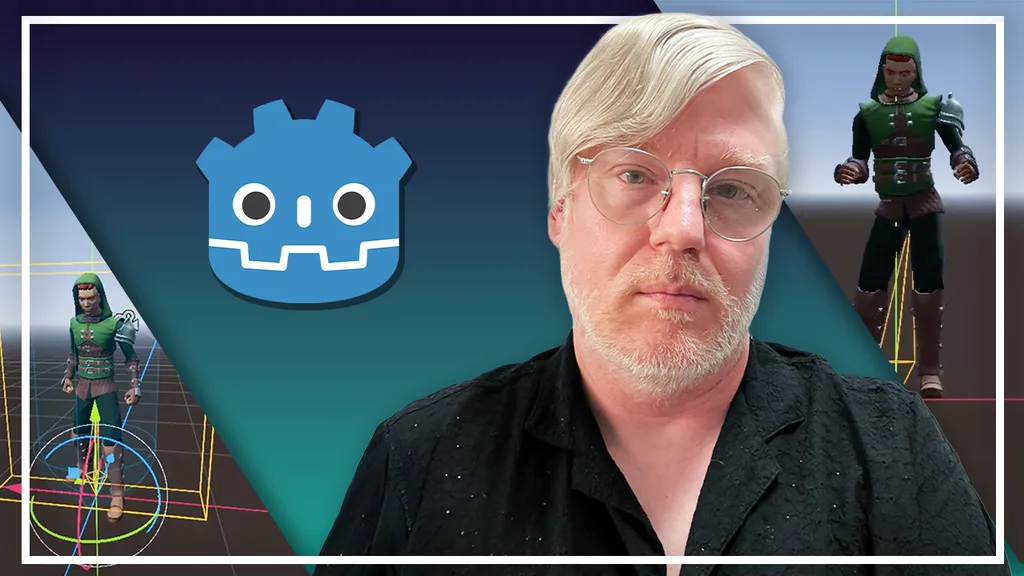
Learn Godot by building a complete third-person character controller with movement, animations, cameras, and game-ready mechanics.
Included with all-access
Get this course and every other Skillademia course with one membership.
Start 7-day free trialthen $59/year (or $14.95/mo) · cancel anytime
See all plans & lifetime →What you'll learn
- Navigate the Godot interface confidently
- Create and organize Godot projects
- Build a third-person player controller from scratch
- Create player movement using vectors and velocity
- Implement gravity, jumping, and sprinting
- Configure collision layers and masks
- Add controller (joypad) support
- Build a third-person camera system
- Import and prepare animated 3D characters
- Create animations using AnimationPlayer
- Build animation state machines with AnimationTree
- Blend animations smoothly
- Refactor gameplay code for cleaner projects
- Create your own playable character variants using Mixamo
- Build a reusable foundation for future 3D games
Included with all-access
Unlock all 64 courses
This course and every other Skillademia course, with one membership.
Start 7-day free trialthen $59/year (or $14.95/mo) · cancel anytime
See all plans & lifetime →30-day money-back guarantee
30-Day Money-Back Guarantee
100% refund, no questions asked.
Lifetime Access
Access your content on any device, at any time.
Friendly Support
Got a question? Ask in the course Q&A and our team is happy to help.
About The Course
Build a Professional Third-Person Character Controller in Godot
Build one of the most essential systems in any 3D game: a professional third-person character controller. Whether you're creating an action game, adventure game, platformer, RPG, or survival game, nearly every 3D project starts with one core feature - a responsive player controller. In this hands-on course, you'll learn exactly how to build one from scratch using the Godot Engine.
Instead of learning isolated features, you'll follow a complete project from beginning to end while discovering the workflows used by professional game developers.
You'll progress through project setup and interface exploration, player scene creation with collision systems, core movement mechanics including gravity and jumping, a third-person camera system, character model importing, animation tools including AnimationPlayer and AnimationTree, state machine development, and final code refactoring with Mixamo character variants.
By the end, you'll have a reusable third-person controller foundation you can drop into any future 3D game.
Curriculum
4 sections · 2 hours of content
1 Getting Started 5 lessons
- Introduction: What You'll Build
- Installing Godot & Creating Your Project
- Understanding the Godot Interface
- Creating the Player Scene
- Building a Simple Test Environment
2 Movement & Controls 6 lessons
- Collision Layers and Masks Explained
- Input Actions and Movement Controls
- Understanding Velocity and Vectors
- Gravity and Jumping
- Sprinting and Joypad Integration
- Building a Basic Camera Rig
3 Character & Animation 6 lessons
- Building Our Character
- AnimationPlayer Basics: Idling, Walking, and Running
- Adding Jump and Fall Animations
- Introduction to AnimationTree
- State Machines
- Blending Animations
4 Polish & Next Steps 3 lessons
- Refactoring Player Movement
- Create Your Own Character Variants Using Mixamo
- Last Words
Related courses
Keep building momentum with these picks.
Ready to start learning?
Get this course and every other Skillademia course with all-access. Start with a 7-day free trial, then just $59 a year.
Start 7-day free trialComplete Godot 3D Character Controller Course
$59/yr · all 64 courses · 7-day free trial