Course Bundle
The Complete Excel Bundle
Five in-depth courses taking you from spreadsheet basics to formulas, dashboards, data analysis and VBA automation - everything you need to master Microsoft Excel.
That's about $1.01 per hour of training across 5 courses.
Built to help you succeed
Real skills, real projects, and everything you need to actually finish what you start.
Go from the basics to advanced
Start with workbooks and formatting, then build all the way up to dynamic arrays, Power Query and VBA automation in one structured path.

Learn together in our community
Every bundle includes free access to our creator community. Share your work, get feedback, ask questions, find accountability partners and grow alongside thousands of other creators.
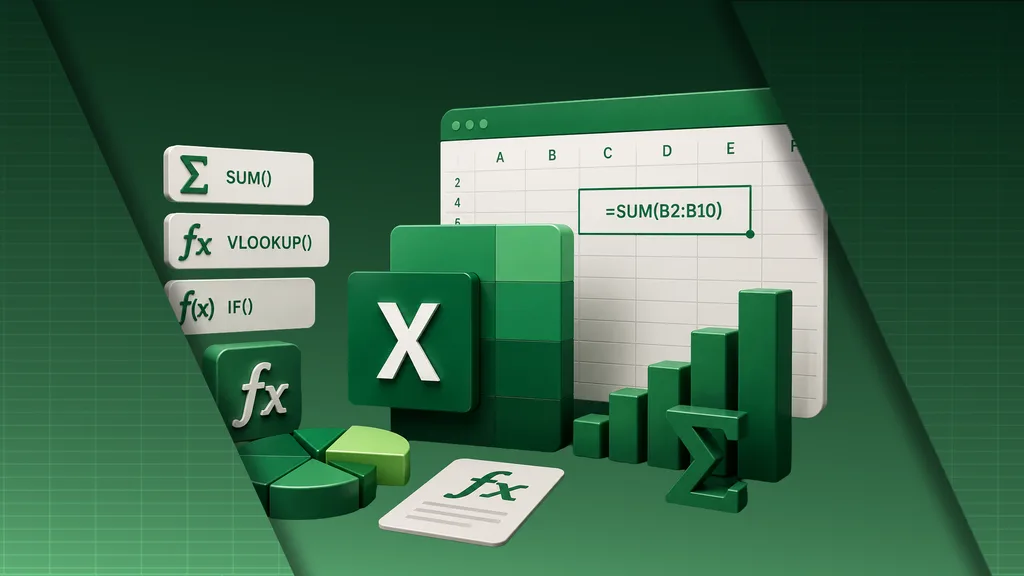
Master formulas and functions
Learn the logical, lookup and modern Excel functions that power professional spreadsheets, and never get stuck on a formula again.
Build dashboards and analyze data
Turn raw data into interactive dashboards and reports, and analyze large datasets with PivotTables, Power Query and Power Pivot.
Automate the repetitive work
Record and write macros, build reusable scripts and let VBA handle the tasks you would otherwise do by hand.
Everything in this bundle
5 in-depth courses - 78 hours of training, yours for life. Tap any course to see what's inside.
1 Excel Microsoft Excel Basics
Learn Excel from the ground up: workbooks, formatting, formulas, functions, charts and real-world projects.
14 hrs · 97 lessons What's inside Show less
1 Microsoft Excel Basics
Learn Excel from the ground up: workbooks, formatting, formulas, functions, charts and real-world projects.
What you'll learn
- Navigate Excel confidently and format spreadsheets professionally
- Build formulas with relative and absolute references
- Use IF, COUNTIF, SUMIF, INDEX, MATCH, VLOOKUP and XLOOKUP
- Create professional charts and apply conditional formatting
- Build real projects like budgets and gradebooks
2 Formulas Excel Formulas & Functions
Master the formulas and functions that power professional spreadsheets, from essentials to advanced analysis.
9 hrs · 31 lessons What's inside Show less
2 Excel Formulas & Functions
Master the formulas and functions that power professional spreadsheets, from essentials to advanced analysis.
What you'll learn
- Master logical functions with IF, AND, OR and NOT
- Use SUMIF, COUNTIF, AVERAGEIF and their advanced versions
- Look up data with VLOOKUP, XLOOKUP, INDEX and MATCH
- Work with dynamic arrays and modern Excel functions
- Analyze data with PivotTables and build dashboards
3 Charts Excel Data Visualization
Turn raw data into clear, professional charts, dashboards and reports that present insights with impact.
20 hrs · 96 lessons What's inside Show less
3 Excel Data Visualization
Turn raw data into clear, professional charts, dashboards and reports that present insights with impact.
What you'll learn
- Create professional charts and choose the right one for your data
- Build interactive dashboards with PivotCharts
- Add slicers and timelines to your reports
- Create sparklines, 2D and 3D maps
- Present and share business reports professionally
4 Power Query Excel Data Analysis
Analyze, clean and transform data with PivotTables, Power Query, Power Pivot and dynamic arrays.
27 hrs · 45 lessons What's inside Show less
4 Excel Data Analysis
Analyze, clean and transform data with PivotTables, Power Query, Power Pivot and dynamic arrays.
What you'll learn
- Clean, structure and organize messy datasets
- Build powerful PivotTables for large datasets
- Import and transform data with Power Query
- Build data models with Power Pivot
- Solve real business problems with repeatable workflows
5 VBA Excel Programming with VBA
Automate Excel with VBA: record and write macros, build procedures and create reusable automation scripts.
8 hrs · 32 lessons What's inside Show less
5 Excel Programming with VBA
Automate Excel with VBA: record and write macros, build procedures and create reusable automation scripts.
What you'll learn
- Record, edit and write Excel macros
- Navigate the VBA editor with confidence
- Create variables, procedures and subroutines
- Automate workbook and worksheet tasks
- Build reusable automation scripts and debug them
What you'll be able to do
30 Day Money-Back Guarantee
100% refund, no questions asked.
Learn Anywhere
Stream every lesson on any device, at any time.
Friendly Support
Got a question? Our support team answers your Q&As and helps you out.
“One of the best courses I've ever purchased! They go very much in-depth with all explanations and everything is abundantly clear!”
“Thanks for covering as much as you have. Currently working on my own game and its very helpful even if I'm still learning all the tricks.”
“Very good information and explanation of this program. Learning a lot with this instructor. Thank you so much.”
Who this is for
If any of these sound like you, this bundle was built for you.
Get the Complete Excel Bundle
All 5 courses, one payment, yours for life.
Everything included
- Microsoft Excel Basics $79.99
- Excel Formulas & Functions $79.99
- Excel Data Visualization $99.99
- Excel Data Analysis $119.99
- Excel Programming with VBA $59.99
Plus 78 hours of training, lifetime access on any device, and a 30-day money-back guarantee.
One-time payment · lifetime access
Just $1.01 per hour of training
Get the bundle30-day money-back guarantee
Secure checkout · Cards, Apple Pay & Google Pay
“One of the best courses I've ever purchased! They go very much in-depth with all explanations and everything is abundantly clear!”
Become a Complete Excel Power User
Excel is the one tool almost every office job quietly runs on, and the people who truly know it move faster, make fewer mistakes and get trusted with the work that matters. The problem is that most people only ever learn a handful of functions and then get stuck, copying and pasting their way through tasks that Excel could do for them in seconds.
Read more Show less
The Complete Excel Bundle fixes that. It brings together five in-depth courses and 78 hours of hands-on training into one complete learning path, taking you from your very first spreadsheet all the way to automation and professional data analysis.
You will start with the fundamentals: workbooks, formatting, references and the essential functions every spreadsheet relies on, building real projects like budgets and gradebooks as you go. Then you will go deep on formulas and functions, from IF, SUMIF and the full lookup family to dynamic arrays and modern Excel 365 functions.
From there you will learn to present your work, building professional charts, interactive dashboards and reports with PivotCharts, slicers and maps. You will move into serious data analysis with PivotTables, Power Query and Power Pivot, cleaning and transforming messy data and solving real business problems. Finally, you will learn to automate it all with VBA, writing macros and reusable scripts that do the repetitive work for you.
Whether you want to be more confident at work, speed up everything you do in spreadsheets, move into data analysis, or simply never feel stuck in Excel again, this bundle gives you the skills, the projects and a clear path to get there. One payment, lifetime access.
Frequently asked questions
How do I get access to the bundle?
Buy the bundle once and you get instant, lifetime access to all five Excel courses. A single payment, yours to keep forever, on any device.
Do I need any experience to start?
No. The bundle starts from the very basics of Excel and builds up to formulas, dashboards, data analysis and VBA, so complete beginners are welcome and more advanced users can jump ahead.
Which version of Excel do I need?
The courses follow modern versions of Excel, including Microsoft 365, and cover newer functions like XLOOKUP, FILTER and dynamic arrays. Most of what you learn also applies to earlier versions and to Excel on Mac.
What will I be able to do by the end?
You'll be able to build and format professional spreadsheets, write advanced formulas, create dashboards and reports, analyze data with PivotTables and Power Query, and automate tasks with VBA macros.
Can I learn at my own pace?
Yes. You get lifetime access to all 78 hours of content, so you can work through the courses in any order and revisit them whenever you like.
Is there a money-back guarantee?
Yes. The bundle is backed by a 30-day money-back guarantee, so you can try it risk-free.
Ready to master Excel end to end?
Join 5 courses and 78 hours of training - start today and create something you're proud of.
The Complete Excel Bundle
$440 $79 · one-time, lifetime access